
Managing SBU product offerings
Selling plans allow you to manage your Subscription by Usage (SBU) product offerings within Shopify.
Accessing the Bottomless App
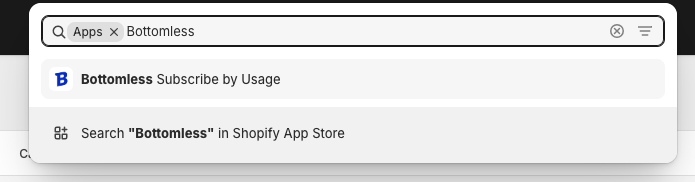
From your Shopify admin dashboard, go to the Apps section.
Look for and select the Bottomless Subscribe by Usage app.
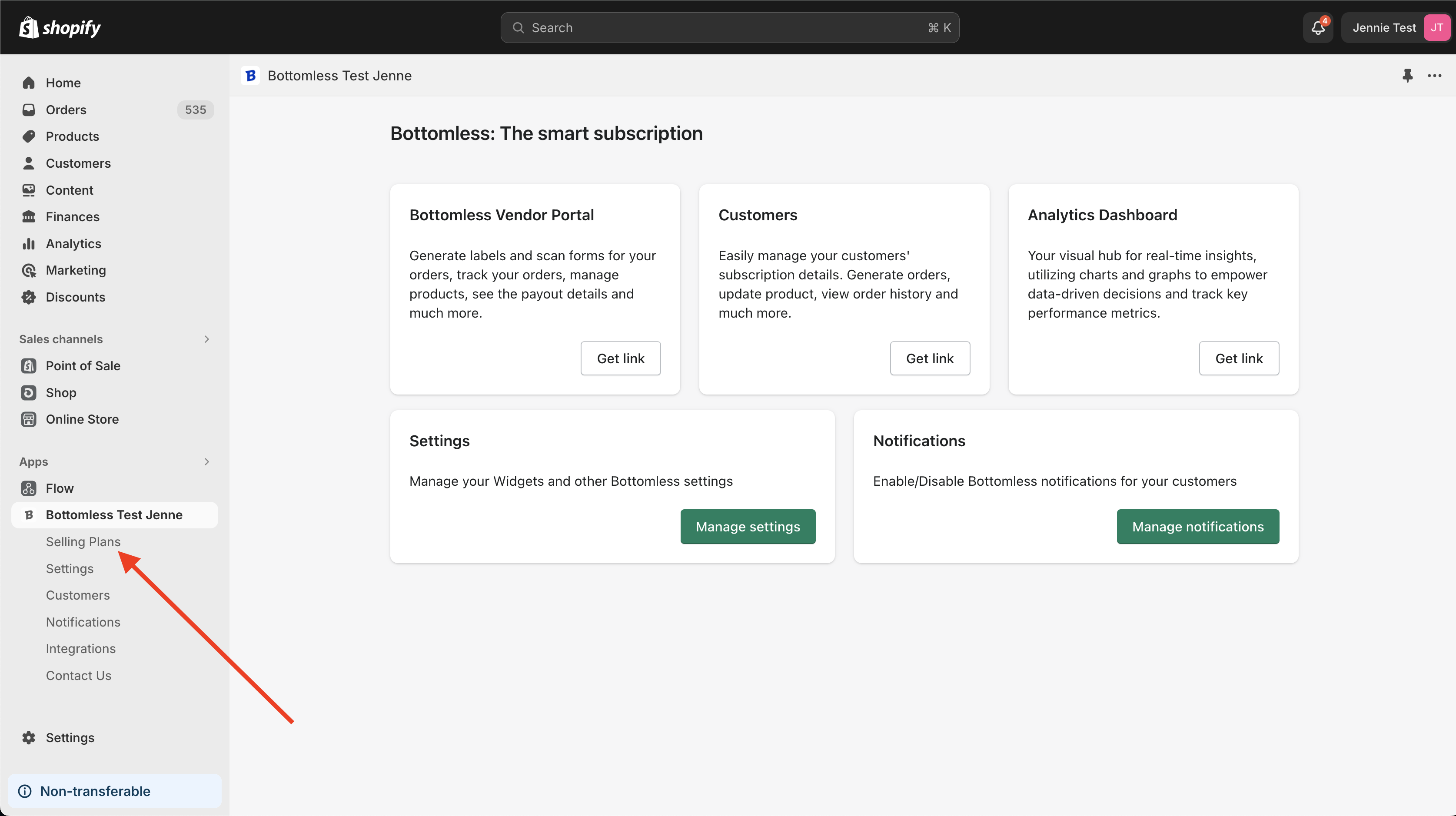
In the Bottomless app, expand the sidebar and click on Selling Plans.
Managing Products in Selling Plans
Adding Products
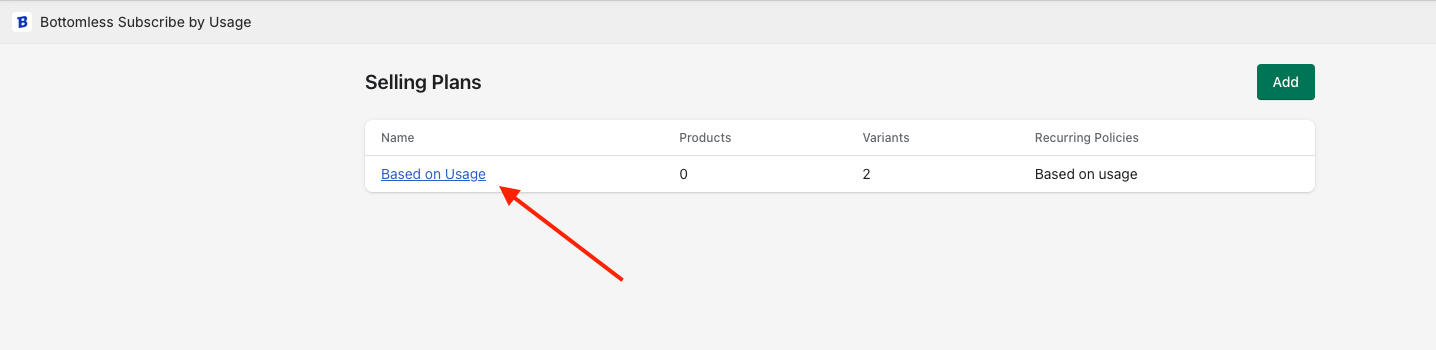
Select the selling plan you want to edit.
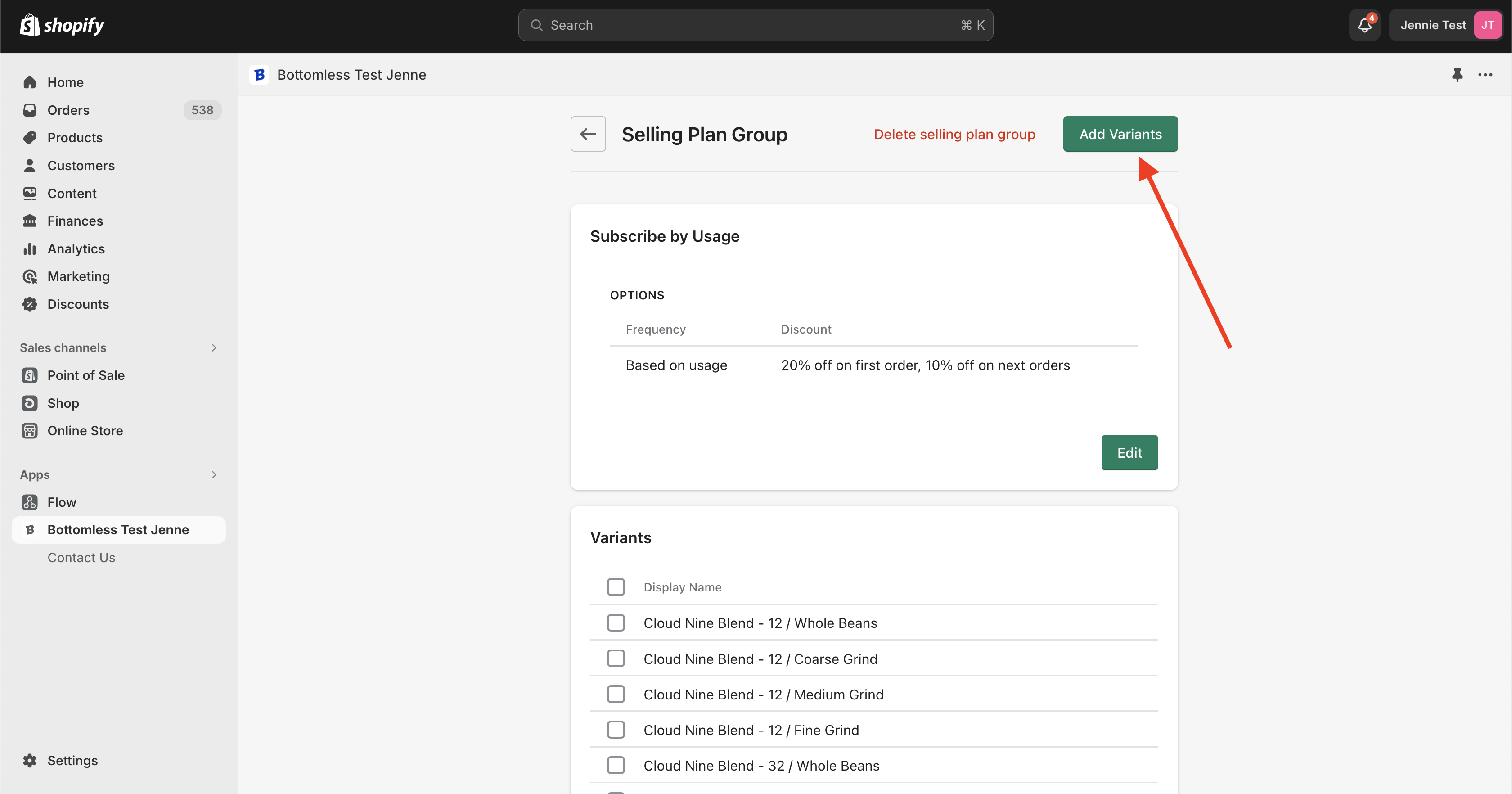
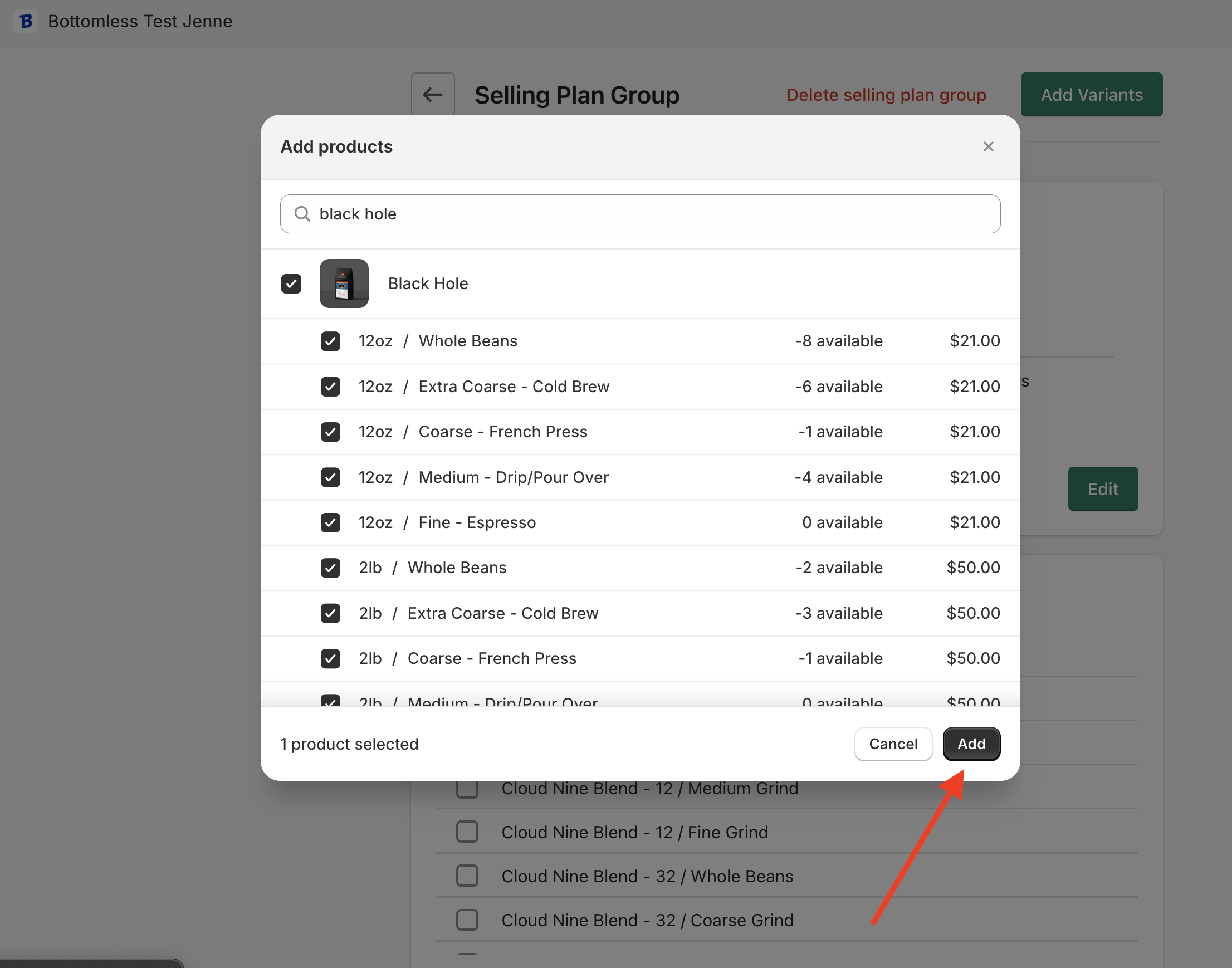
Click the Add Variants button in the top-right corner.
Choose the product variants to add.
Click Add to finalize your selection.
Removing Products
Open the selling plan details page.
Select the variants you want to remove.
Click the "Remove Variants" button.

Important Note
If you’re adding a product or variant that isn’t an original part of your SBU setup, please reach out to us at sellers@bottomless.com. Your implementation may have specific configurations, and we want to ensure everything is properly set up for you.