
Switching between Subscription by Usage and Fixed Frequency
Customers with a Subscription by Usage (SBU) can switch to a fixed-frequency subscription at any time. This can be done through the Customer Portal or by an admin using the Recharge Admin Portal.
How to Switch from SBU to Fixed Frequency
Customer Portal
Customers can change their subscription settings in the Recharge portal:
Go to Manage subscriptions and select the subscription to update.
Find the frequency dropdown. The current setting will show "Based on usage".
Select a fixed-frequency option (e.g., 30 days).

Recharge Admin Portal
Admins can manually update a customer's subscription:
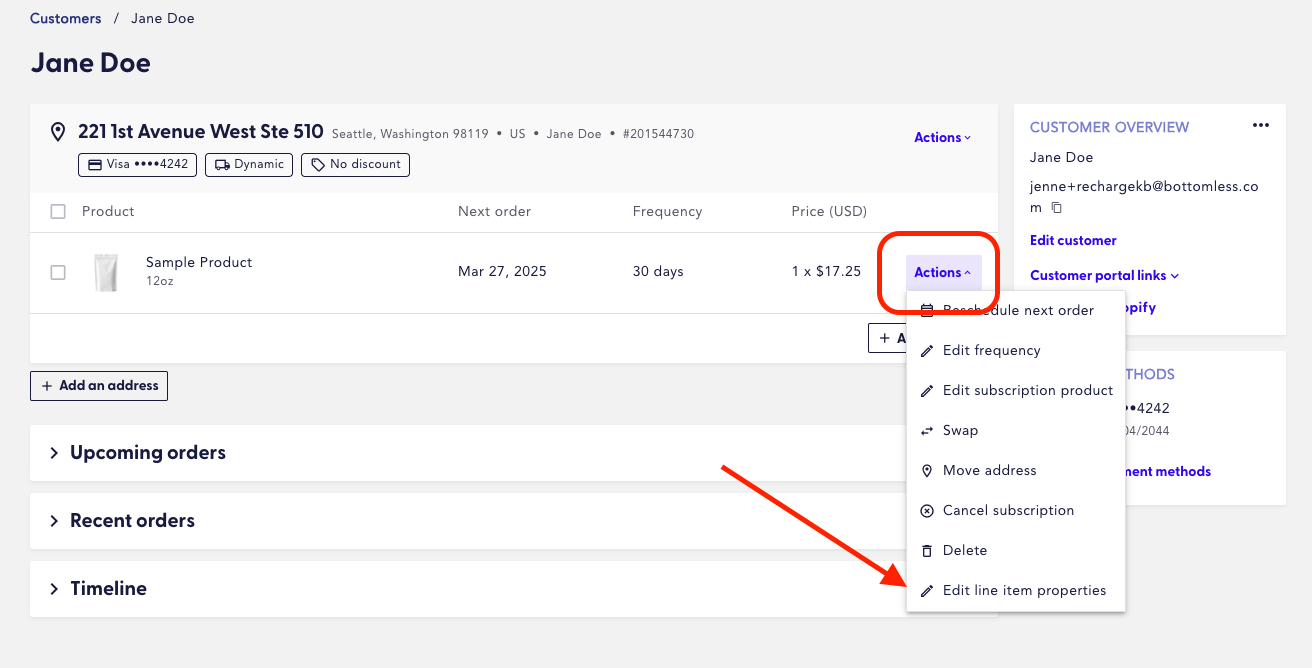
Select the subscription.
Click the "Actions" button.
Choose "Edit line item properties".
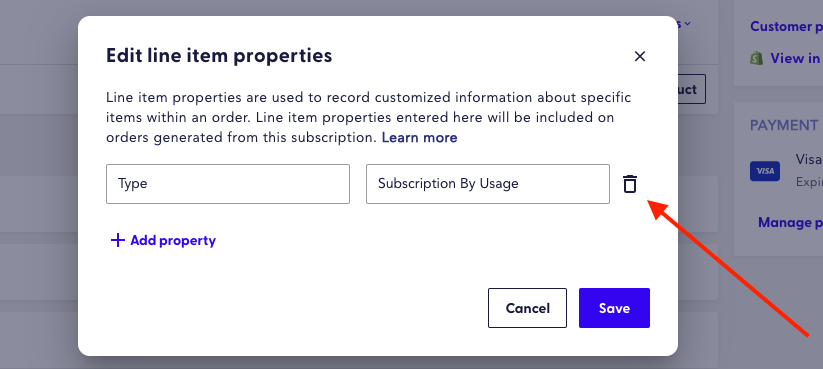
Locate the property Type: Subscription by Usage and delete this entry.
(Optional) Edit frequency and Reschedule next order according to the customer's preferences.
If left unchanged, the next order date will adjust automatically based on the current frequency.
How to Switch Back to SBU
If a customer decides to return to SBU, they can be switched back using the same methods.
Customer Portal
Customers can follow the same steps as above and select "Based on usage" from the Frequency dropdown.
Recharge Admin Portal
Admins can reinstate SBU by adding back the line item property:
Type: Subscription By Usage
Important Notes:
Customers can only switch back to SBU if they were previously on an SBU plan.
Fixed-frequency customers cannot be manually switched to SBU for the first time.
They must opt in through the standard signup or opt-in flow.
Alternatively, you can contact us at support@bottomless.com for assistance with migrating the subscription to SBU.