Updating ordering strategy
Customers can adjust how quickly their smart scale triggers future reorders using the "Ordering Strategy" setting.
Customer Portal
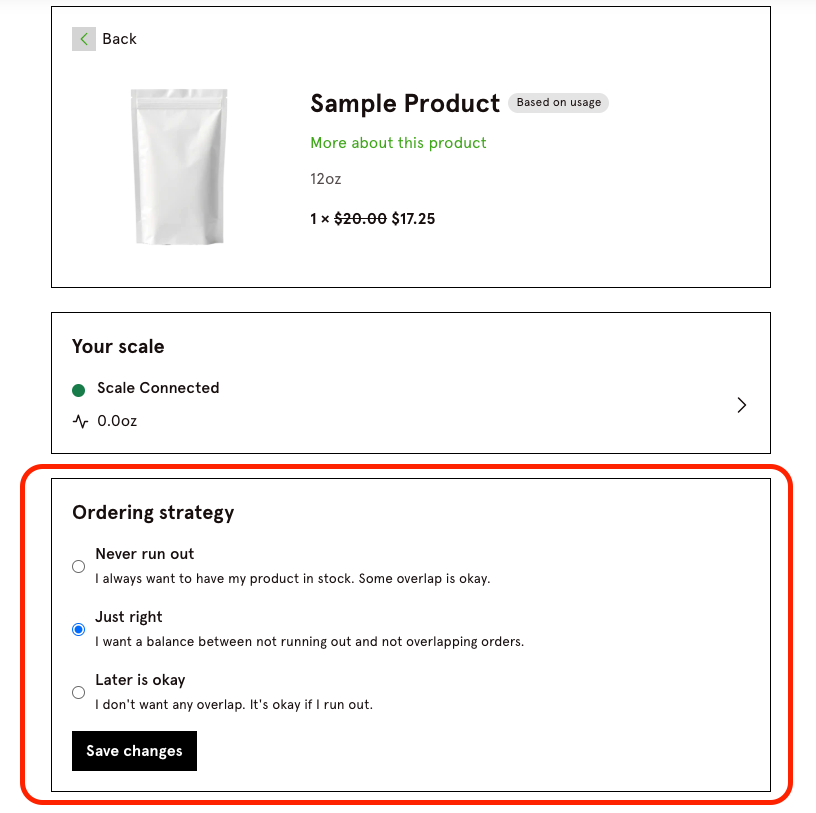
In the Customer Portal, this setting is available under "Manage Subscription", located between the scale and product details.
Ordering Strategy Options:
Never run out: "I always want to have my product in stock. Some overlap is okay."
Just right: "I want a balance between not running out and not overlapping orders."
Later is okay: "I don't want any overlap. It's okay if I run out."
Recharge Portal
This setting can also be managed in the Recharge admin portal:
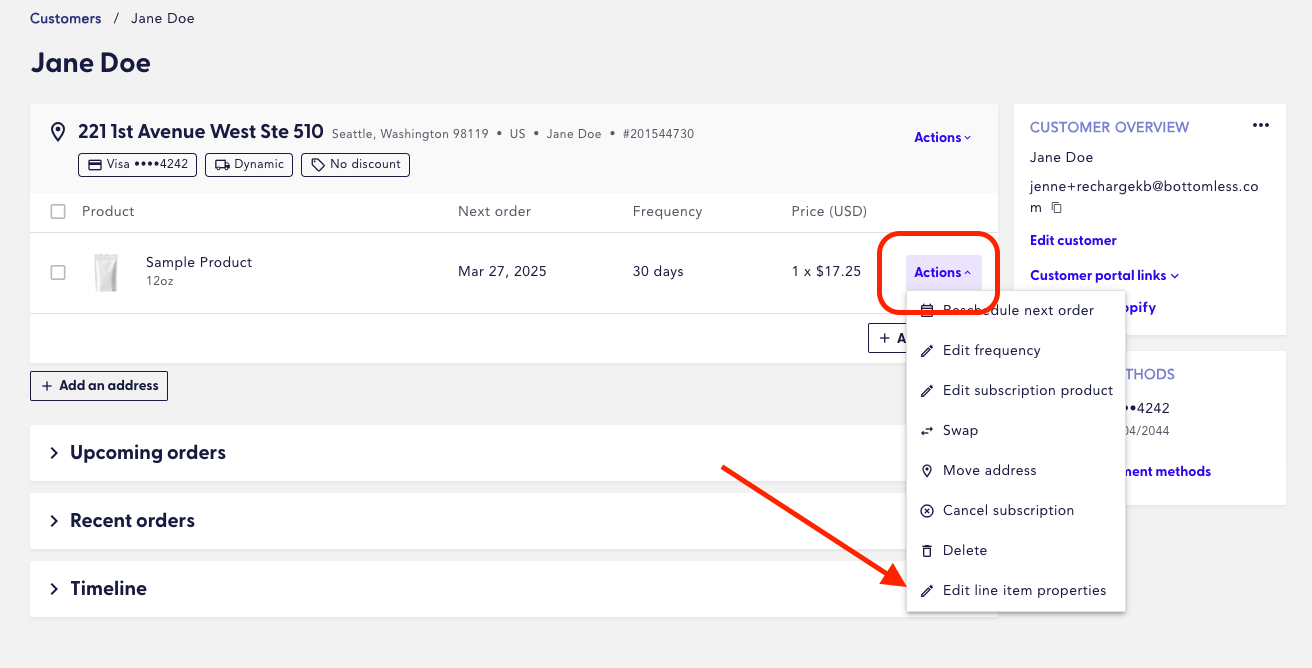
Select the subscription.
Click the "Actions" button.
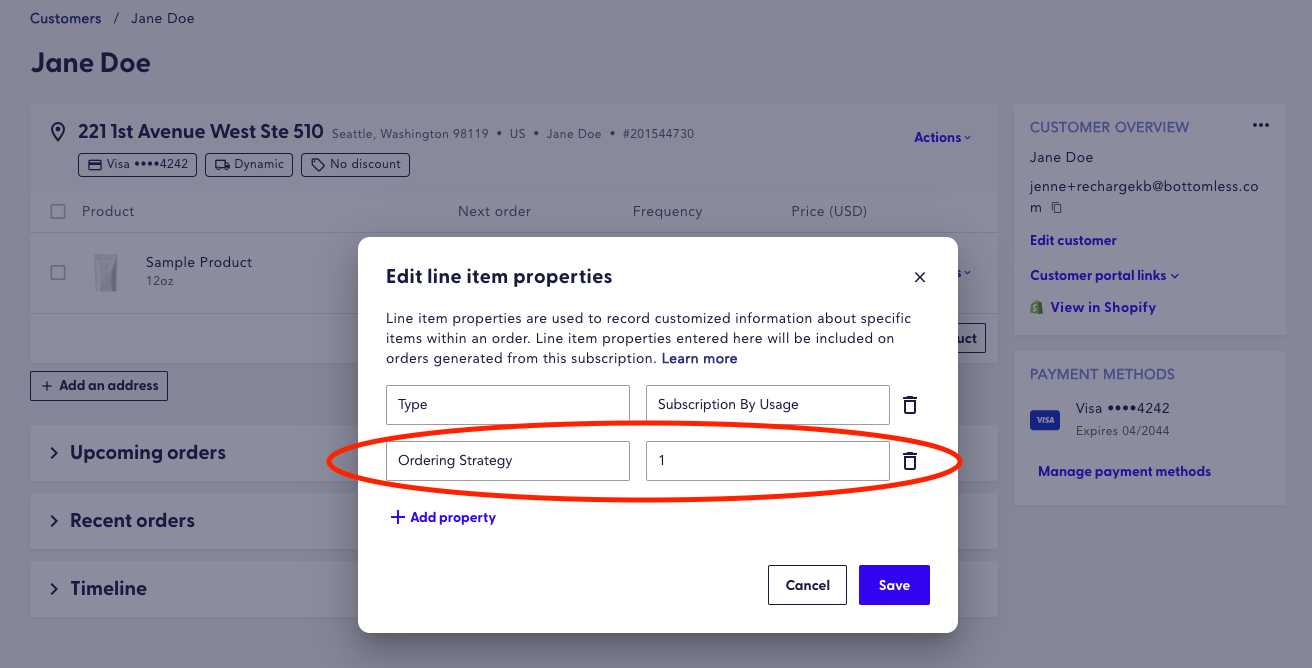
Choose "Edit line item properties".
If the field doesn’t exist, click "Add property" and add a new field labeled "Ordering Strategy".

Next to this field, enter a number corresponding to the customer's preference:
1 = Never run out (most aggressive)
2 = Just right (balanced)
3 = Later is okay (least aggressive)